How to automate your job search without applying to hundreds of jobs
Automate the repetitive parts of a job search while keeping applications and career decisions under your control. This workflow turns alerts into a deduplicated queue, checks each vacancy against your evidence and conditions, verifies that the source is still active, and records what you decided.

1. Decide what the workflow may automate
A useful job-search workflow handles repeatable collection and organization. It can run saved searches, gather alerts, normalize basic fields, flag likely duplicates and prepare a queue. You still inspect the source, judge the role, choose the resume version and decide whether to apply.
Start by writing the boundary as an operating rule: the system may recommend and organize; only you may approve an application. Keep login handovers, consent statements, screening answers, declarations and final submission outside unattended automation. This prevents a tool from turning an uncertain recommendation into a representation made in your name.
Give the workflow a weekly capacity as well. If you can properly assess four vacancies and prepare two careful applications, the queue should help select those items. It should not create a target of fifty submissions. The focused job-search guide explains how to set a realistic search capacity before adding automation.
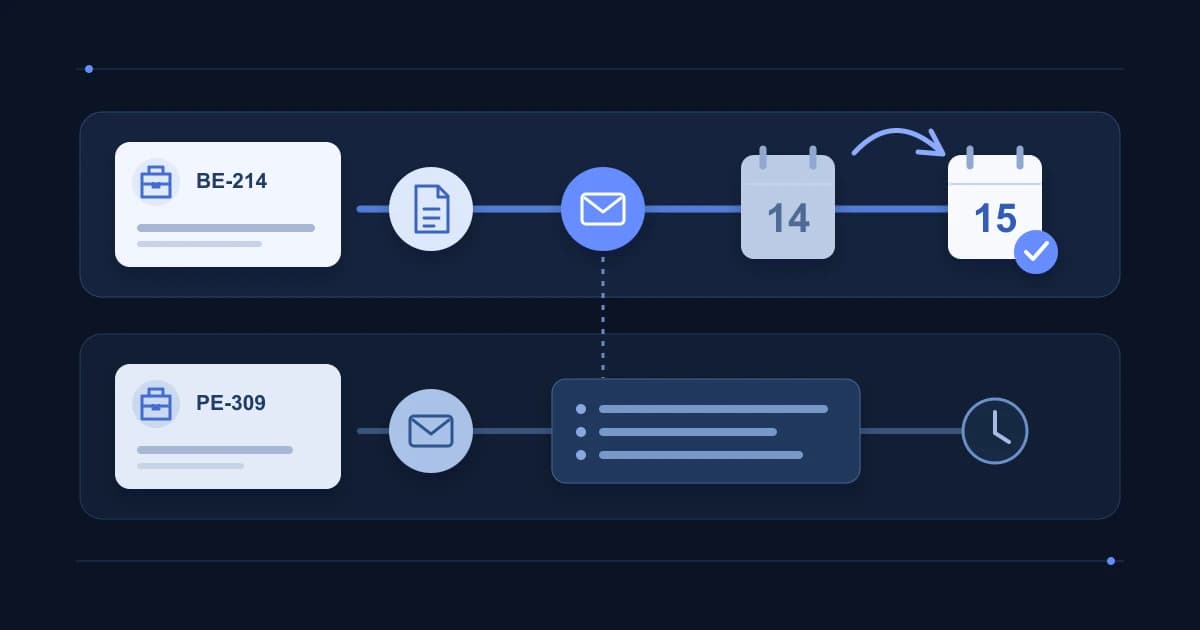
| Stage | Trigger | Automated output | Human review | Failure handling |
|---|---|---|---|---|
| Monitor | A saved search runs | New result links | Check the query when results drift | Pause or narrow a noisy alert |
| Normalize | A result enters the queue | Employer, title, location, URL and observed date | Correct missing or misread fields | Keep the source text when extraction fails |
| Deduplicate | A similar record already exists | Possible duplicate group | Confirm the same vacancy or separate roles | Keep both when identity is uncertain |
| Match | A unique vacancy is ready | Evidence-based fit notes and open questions | Compare every note with the listing and resume | Mark unsupported conclusions as unresolved |
| Review | A scheduled review starts | A short ordered queue | Choose apply, clarify, watch or skip | Defer rather than invent missing facts |
| Record | A decision is made | Status, reason and next action | Confirm the record reflects what happened | Correct the record; never infer an application |
2. Build focused alerts instead of one broad feed
Create separate searches for distinct role families, locations and working conditions. A backend role in Poland, a remote platform role open to your country and a local hybrid role need different filters. Separate alerts make it easier to see which query produced useful vacancies and which one needs adjustment.
LinkedIn documents daily or weekly job alerts delivered through email, app notifications or both, with a limit of 20 alerts per account. Indeed documents alerts based on a title, keyword, company, location or remote query that can be edited, paused or removed. These controls can change, and availability may differ by market or account, so treat current help pages and the controls visible in your account as the source of truth.
Name each alert by its purpose in your own notes, then record its source, query, filters, frequency and last review date. Review alerts when they repeatedly return the wrong seniority, location or discipline. Adding more alerts before fixing a weak query usually adds review work rather than useful coverage.
- Use role synonyms only when your experience supports the underlying work.
- Put location and remote eligibility into the search, then verify them in the original listing.
- Separate required conditions from preferences so the review rule can distinguish a conflict from a trade-off.
- Pause alerts that no longer serve the current search instead of letting their messages accumulate.
3. Deduplicate vacancies before scoring fit
The same vacancy may appear on an employer site, a job board and an aggregator. Google asks publishers to use a canonical URL when several pages represent the same job. That guidance confirms that duplicate URLs can exist, although it does not tell you how often they occur or whether two similar posts are identical.
Use the employer plus requisition ID as the strongest practical key when the ID is available. Otherwise compare the employer, normalized title, location, source text and application destination. Keep a preferred source URL, usually the employer's current vacancy page, and retain other URLs as references.
Do not merge records solely because titles match. Two software engineer posts may belong to separate teams, levels or locations. Mark them as possible duplicates, then require a person to confirm. When the evidence remains ambiguous, keeping two records is safer than hiding a real vacancy.
4. Use AI to prepare an auditable comparison
AI can extract requirements, compare supplied text and organize questions. Its output becomes useful when every conclusion points to evidence. Paste the current vacancy text and a factual resume or evidence inventory. Remove contact details, account identifiers and confidential employer information that the task does not require. Review the provider's data policy before sharing personal material.
Matching and ranking systems are not proof of suitability. Indeed states that search results may reflect relevance, user activity and employer compensation. A high position or a generated score can help order a queue, but it does not establish that you meet a requirement or that the employer will respond.
Ask the model to separate confirmed evidence, conflicts and missing information. Reject any claimed skill or condition that lacks an exact source excerpt. For a deeper vacancy comparison, use the guide to finding jobs that match your resume with AI.
5. Check freshness before spending time on an application
An alert shows that a system discovered or resurfaced a page. It does not prove that the employer is still accepting applications. Google's job-posting documentation tells publishers to expire or remove unavailable jobs, while Indeed's terms do not guarantee the accuracy, legitimacy or availability of job advertisements. Candidate-side workflows therefore need their own source check.
Open the preferred source URL during review. Confirm that it reaches the specific vacancy, that applications remain open, and that title, location, employment type and remote conditions match the record. Save the time of the check. If a board copy conflicts with the employer page, keep the discrepancy visible and use the employer's application destination for further verification.
A failed page, missing vacancy or closed application becomes a stale item, not an automatic rejection of the employer. Archive it with the observed reason. If the page later returns, treat that as a new observation and check the requisition identity again.
6. Run a scheduled review with clear decisions
Choose a review rhythm that matches your search. A short daily scan may suit urgent searches; two planned sessions may be easier when you are employed. Alerts can arrive continuously, but your attention does not have to follow them. Notifications should lead to the queue rather than interrupt every task.
At the start of a session, process stale and duplicate checks before detailed matching. Then review the highest-priority unique items. Leave each vacancy in one state: apply, clarify, watch or skip. Add a brief reason and a next action with a date. An unresolved location condition might become ‘clarify’, while a confirmed requirement you do not meet might become ‘skip’.
The worked example below uses fictional details. Maya searches for backend roles and can prepare two applications each week. Three alerts produce eleven links. Deduplication leaves seven vacancies; source checks remove two closed pages. Evidence comparison puts two in review, one in clarify and two in skip. Maya prepares one application and keeps the second for her next session. The workflow records what happened without claiming that automation caused a faster search or a hiring result.
7. Audit the loop before adding more automation
Review the system after a full week. Count inputs, unique vacancies, stale items, decisions and completed applications. These are operating counts, not performance promises. Look for avoidable work: repeated sources, broad queries, fields that need frequent correction, unsupported match explanations and notifications that never change a decision.
Change one part at a time. Narrow a noisy query, add a missing role synonym, alter the review schedule or strengthen the evidence prompt. Keep a short change log so you can tell whether the next queue improved. If a stage repeatedly needs correction, reduce its authority or remove it.
A reliable workflow ends with a truthful record. Automation may collect and prepare. You remain responsible for what is submitted, what is claimed and which opportunity deserves your time.
Common questions
Should I let an AI agent submit applications automatically?
This workflow keeps final submission under human control. Review the vacancy source, every claim, required declarations, screening answers and the selected documents before submitting anything in your name.
How many job alerts should I create?
Use the smallest set that covers distinct role, location and working-condition searches you can review. Platform limits do not define a useful personal target. Pause or narrow alerts that repeatedly create irrelevant work.
Can a match score decide whether I should apply?
Use a score only as a queue-ordering hint. Your decision should rely on exact requirements, factual evidence, working conditions, unanswered questions and the current source page.
Sources and further reading
- Job alerts on LinkedInLinkedIn Help · Accessed
- Starting, Stopping, and Managing Job AlertsIndeed Help · Accessed
- JobPosting structured dataGoogle Search Central · Accessed
- Indeed TermsIndeed · Accessed
- AI for Professional Development and ExplorationHarvard FAS Career Services · Accessed